 Online/Mobile

 Branches and ATMs


 0700 1 17 17









Verification of Payee Customer FAQ
1. What is Verification of Payee (VoP)?
Verification of Payee is a service that checks whether the payee’s name matches the IBAN entered before a payment is made.
2. Why is this service being introduced?
The service is a regulatory requirement designed to reduce the risk of fraud and misdirected payments.
3. Which payments does it apply to?
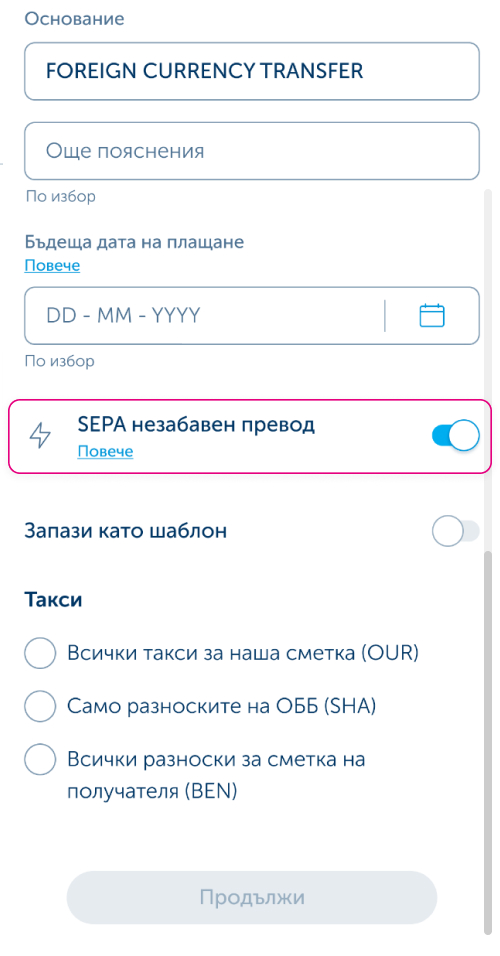
It applies to SEPA credit transfers, both standard and instant credit transfers in euro within the Single Euro Payments Area (SEPA). The verification also applies to transfers between accounts held with the Bank, except for transfers between your own accounts.
4. When is the verification performed?
The verification is performed in real time before the payment is confirmed and takes only a few seconds for an individual payment.
In UBB Online and UBB Mobile, the verification result is visible both to users authorised to create a payment and to users authorised to approve/sign it.
5. What results can I receive?
Match – the name fully matches. The combination of the name and IBAN entered has been confirmed by the payee’s bank.
Close Match – there are minor differences in the spelling of the name. The combination of the name and IBAN entered has not been fully confirmed by the payee’s bank. The response will also provide information about the correct name registered for the IBAN with the payee’s bank.
No Match – the name does not match. The combination of the name and IBAN entered has not been confirmed by the payee’s bank.
Verification could not be performed – no information can be provided because the payee’s bank has not provided data for the account or there is no connection to the service. The combination of the name and IBAN entered cannot currently be verified.
6. What should I do if I receive a “Close Match” result?
We recommend checking the spelling of the name and making sure that the details are correct.
7. What should I do if I receive a “No Match” result?
We recommend confirming the payee’s details and proceeding with the payment only after you have ensured that the details are correct.
8. Can I proceed with the payment despite a “Close Match” or “No Match” warning?
Yes. You can proceed with confirming the payment.
If you proceed without making a correction, the payment may be sent to the specified IBAN even though the account belongs to a payee other than the one you entered. In this case, the Bank is not liable for a misdirected payment.
9. Does the Bank guarantee that the payee is the correct one?
No. The Bank performs a verification of whether the details match but cannot guarantee the identity of the payee.
10. Will I be charged a fee?
No. There is no fee for this service.
11. What result can I expect when making a payment to a legal entity?
The possible results described in Question 5 also apply when initiating payments to accounts held by legal entities.
There may be differences in how the legal entity’s name is entered, for example abbreviations of its legal form, which may result in a Close Match. It is important to enter the full name of the legal entity to which you are making the payment, including its legal form (e.g. ET, OOD, EOOD, AD, etc.).
12. Will the service work for bulk payments (payment files)?
Verification of Payee is also available for payments submitted via file. However, corporate customers have the right to opt out of the service for bulk payments.
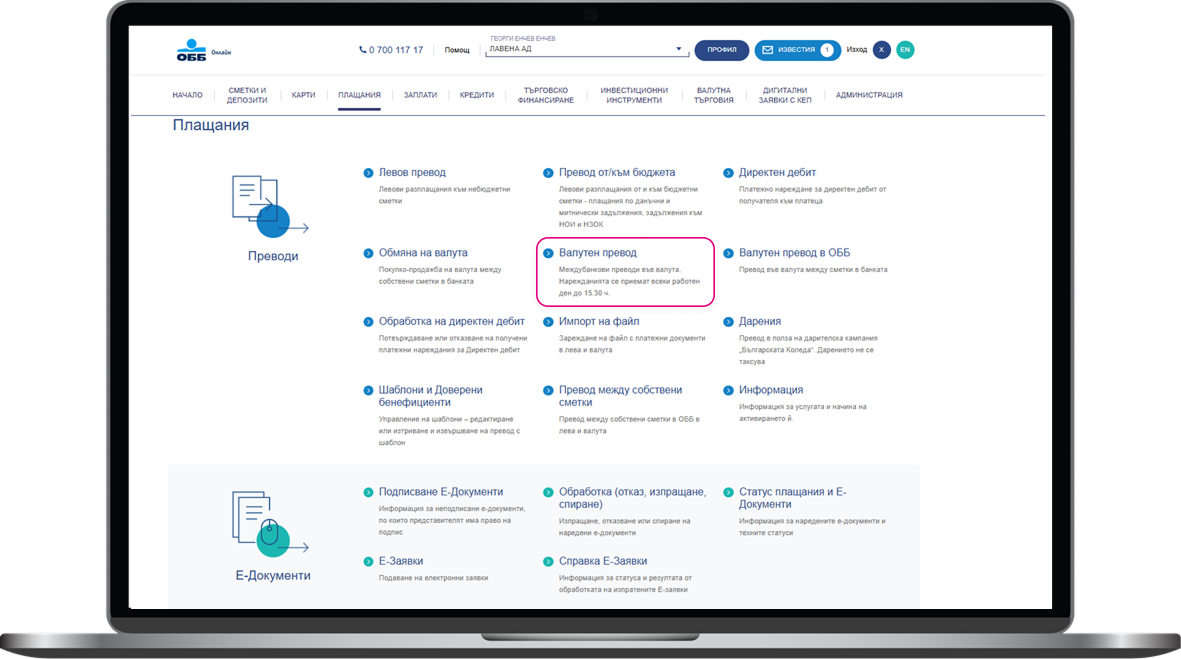
As of 17 December 2026, you will be able to use the Verification of Payee service when uploading payments via the “File Import” menu. To use the service, legal entity users are required to select the checkbox “Process payments from file with Verification of Payee”.
Important: If the “Verification of Payee” option is not selected, the Bank will not verify whether the beneficiary’s IBAN and name match, and you will remain fully responsible for the accuracy of the information provided and the payments made.
If you select the “Verification of Payee” option, a screen will display the verification results for all payments in the file, without the option to select which payments should be processed. You can confirm the results and proceed with processing the file or cancel its processing.
When batch payments are uploaded by one user and signed by another, the “Verification of Payee” result will be displayed for each payment in the file under the “Sign E-Documents” menu. This menu displays all individual and batch payments, and the signing user will be able to select which payments to confirm and which to reject.
For more information and detailed instructions on File Import and Verification of Payee, please refer to the UBB Online User Guide, available under Help – Frequently Asked Questions.
13. Is the service available at all times?
The service will be available whenever a payment within the scope of Verification of Payee is initiated and will operate continuously, 24/7/365.
The verification result is provided in real time before the payment order is confirmed, allowing the payer to make an informed decision before the payment is executed.
From 1 December 2026, banks in Bulgaria will begin the phased introduction of Verification of Payee (VoP). From 1 January 2027, the service will be provided by all banks and other payment service providers in the country.
14. How is Verification of Payee performed when a payment is initiated using a phone number instead of an IBAN and payee name?
When making a payment using a phone number (blink P2P), the phone number is used to identify the beneficiary's account and perform a Verification of Payee (VoP) check. Before you confirm the payment, the beneficiary's name is displayed so that you can verify who will receive the payment. The name cannot be edited, as it is displayed exactly as registered for the respective account with the beneficiary's bank. If the displayed name does not match the person to whom you intend to send the funds, you may choose not to proceed with the payment.15. Is there a limit on the number of characters that can be entered for Verification of Payee?
Yes. Currently, up to 35 characters can be entered in the beneficiary name field.
For beneficiaries whose names exceed this limit, the Verification of Payee (VoP) service may be unable to confirm a match and may return a "No Match" result due to the field length restriction. In such cases, we recommend carefully reviewing the entered details and deciding whether to proceed with the payment. Please note that, in the event of a "Close Match" or "No Match" result, the Bank shall not be liable for an incorrectly executed payment.
16. When will I not receive a Verification of Payee result when submitting a paper-based payment order at a branch?
For the Verification of Payee (VoP) service to be performed when submitting a paper-based payment order at a bank branch, the account holder must be present in person. For business customers, the legal representative of the company or an individual authorised to dispose of the funds in the account must be present.
If the payment order is submitted by a proxy who does not have such rights, the service will not be available and no verification check will be performed. This restriction is related to the requirements for providing the service under the Regulation and to customer protection measures.
17. Why do I not receive a Verification of Payee result when making a payment to a government budget account?
The Verification of Payee (VoP) service depends on the participation of the bank or institution maintaining the beneficiary's account.
For budget accounts serviced through the Bulgarian National Bank (BNB), customers should expect to receive a response indicating that the verification cannot be performed until the end of 2026. The Bulgarian National Bank (BNB) plans to make the Verification of Payee (VoP) service available for such accounts from 1 January 2027.
18. How does Verification of Payee work when making a payment using a template?
When a payment is initiated using a saved template, the Verification of Payee (VoP) check is performed automatically when the template is selected.
If you receive a "Close Match", "No Match", or "Verification Cannot Be Performed" result, we recommend carefully reviewing and correcting the beneficiary's name.
Once you enter the correct details and receive a "Match" result, you can:
1. Save the payment as a new template.
2. Complete the payment.
3. Delete the old template
This will help you avoid warnings related to partial or missing matches when making future payments.
19. How is my name recorded with UBB?
You can easily check how your name is recorded with UBB through the UBB Mobile app.
After logging in to the application, select the "More" menu. At the top of the screen, you will see your name displayed exactly as it is recorded by the Bank.
- If the application language is set to Bulgarian, your name will be displayed in Cyrillic.
- If the application language is set to English, your name will be displayed in Latin characters.
This is the name used for Verification of Payee (VoP) checks on incoming payments to your accounts.
20. Why do I see transfers that have been automatically cancelled after 16 December 2026?
If you have payments created,but not signed, before the introduction of the service, you can sign and submit them by 20:00 on 16 December 2026. Verification of Payee will not be performed for these payments. If you would like them to be processed with Verification of Payee, you can reject the existing payments and create them again.
After this deadline, all payments that were created but not signed before the introduction of Verification of Payee will be automatically rejected and, if necessary, will need to be created again.
